PresenterTools
Presentation helper for Windows
Show your audience exactly where to look.
Make mouse actions, key presses and points of interest easy to follow in Teams screen sharing, on meeting-room displays and in IT training. The overlays never take your clicks, so you keep working as usual.
- Available
- Windows 11 (64-bit)
- Free
- English and Japanese
- Version 1.4.1
What your audience sees
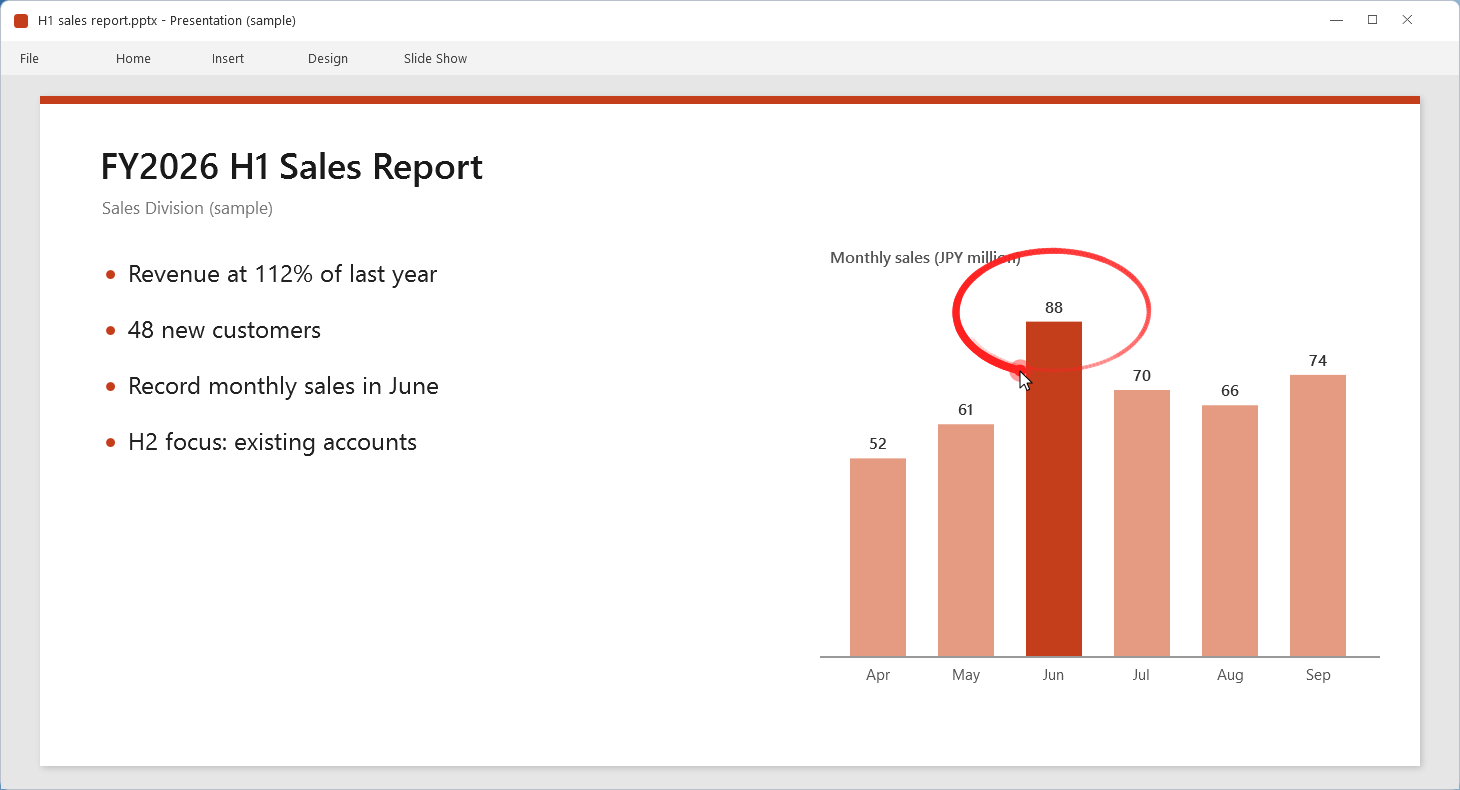
The effects are drawn on top of the shared or projected screen. Each of the five features can be turned on and off on its own.
-
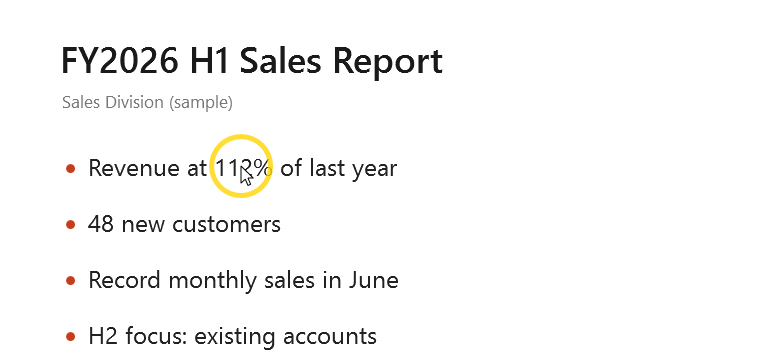
Cursor highlight
A ring (or filled circle) around the cursor, so the small pointer never gets lost.
-
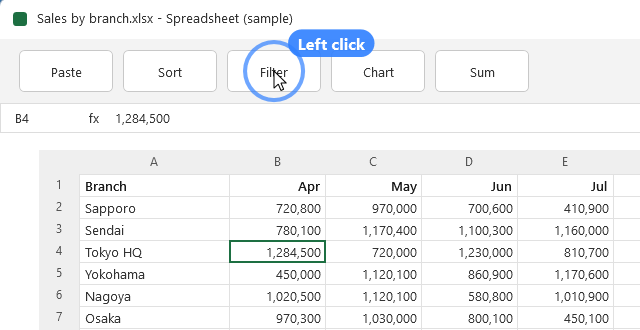
Click effects
Ripples for left and right clicks show exactly where you clicked.
-
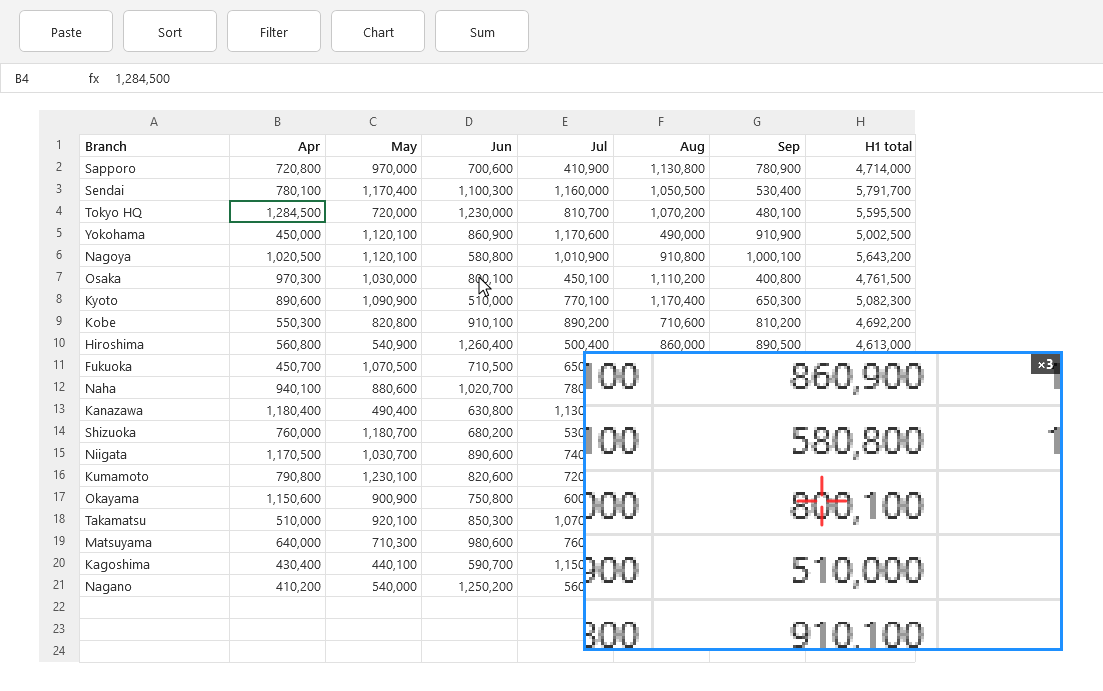
Magnifier
Enlarge just the part that matters, such as figures in a table or small text.
-
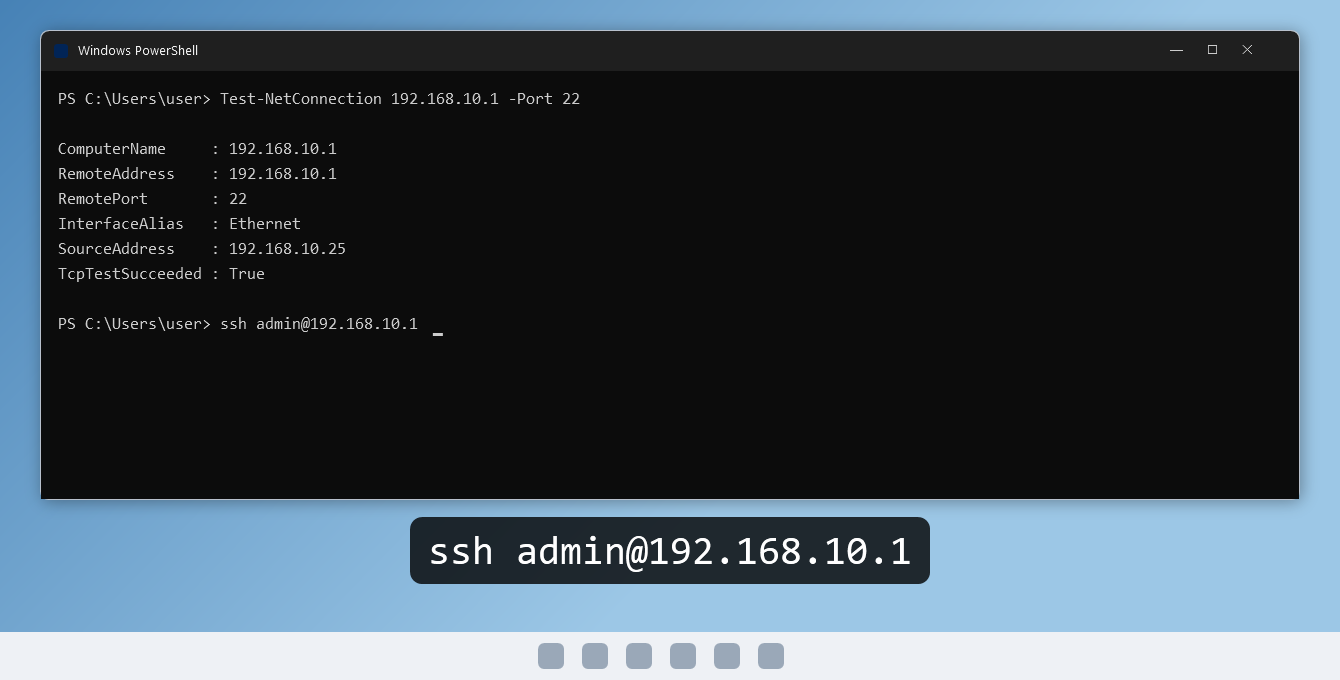
Key display
Shows typed text and shortcuts in large letters at the bottom of the screen (always off at startup).
Where it helps
Teams screen sharing
Keep the small mouse pointer easy to follow.
Presentations
Draw a laser-pointer trail only at the moments you want to emphasize.
Explaining details
Enlarge just the part that matters, right on the spot.
Training and hands-on sessions
Show what you type and which keys you press.
Features
- Laser: draws the cursor trail while a shortcut is held (or toggled on each press)
- English and Japanese display (follows the Windows display language, or choose in Settings)
Requirements and availability
| OS | Windows 11 (64-bit) |
|---|---|
| Get it from | Microsoft Store |
| Languages | English, Japanese |
Recent updates
- The user guide opened from the app now uses the site's new address (
www.ja1bus.com). Features and behavior are unchanged.
Resources
Source code and license
The source code of this application is available on GitHub under the MIT License.